Kugle Airdrop Claim Guide!
Welcome to the eligible members of the Kugle community! This guide walks you through the step-by-step process of claiming your rewards.
Claiming these rewards will be available starting from the official Kugle launch on December 15th.
Important Warning
Be vigilant against phishing attempts!
- The only official website for the claim is: https://kugle.app/Airdrop
- NEVER share your recovery phrase (seed phrase), or private key.
- The Kugle team will NEVER contact you asking for this information.
Step 1: Download the Latest Build
- The Kugle application has been updated to version 4.9.8.
- Action: Download and install the very latest version of the Kugle application from the links below:
| Platform | Download Link |
|---|---|
| Epic Games Store | https://store.epicgames.com/en-US/p/kugle-e7e6b3 |
| Google Play | https://play.google.com/store/apps/details?id=com.KugleCorp.Kugle&hl=en |
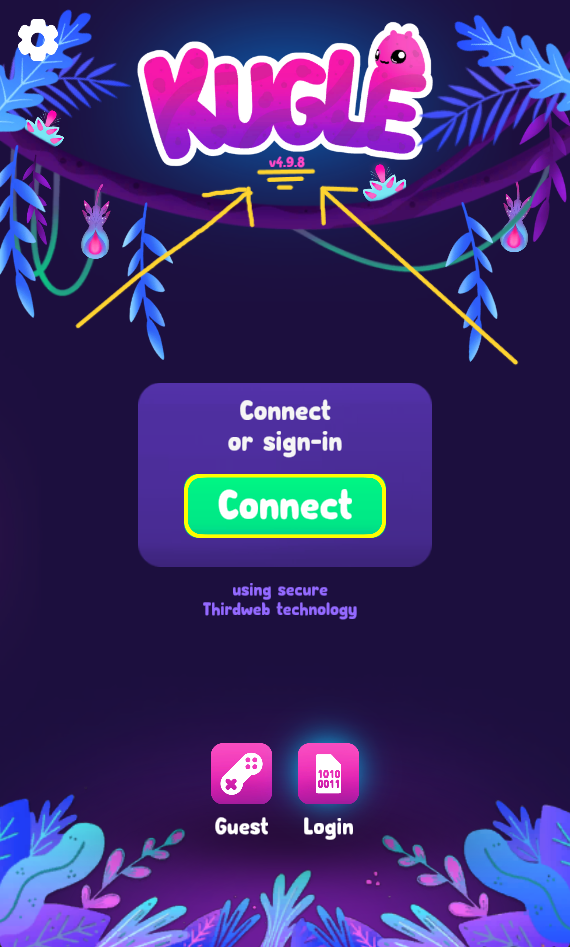
Step 2: Connect with the New System
The new authentication system links your user account directly to your in-app Abstraction Wallet.
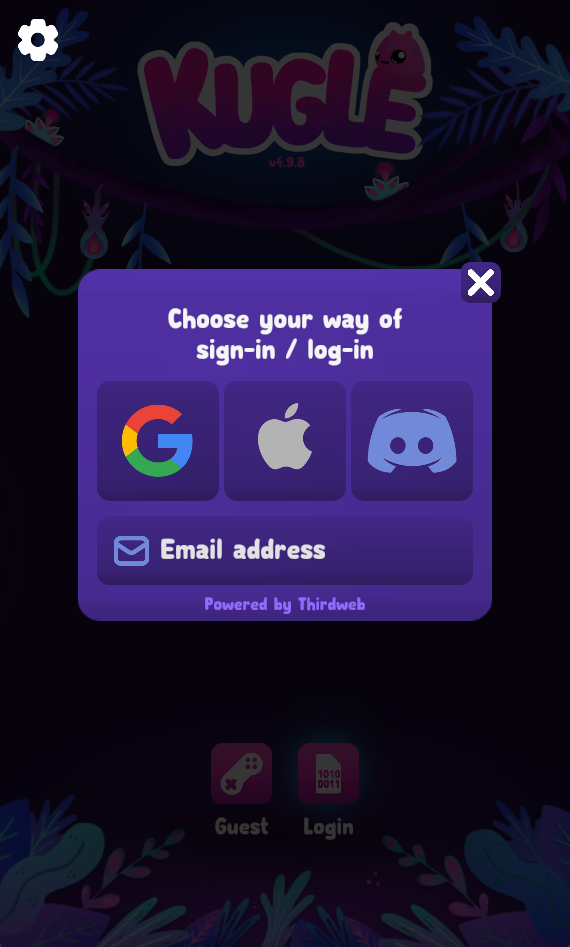
Log in using one of the following methods:
- Apple
- Discord
Step 3: Locate Your In-app address
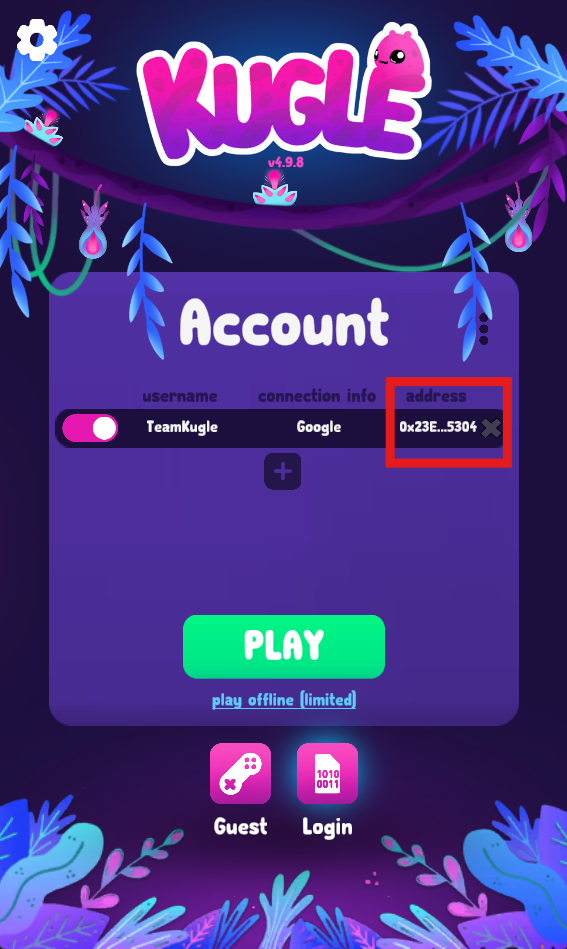
Once logged in, you will find your Address in the Main menu within the area reserved for your account.
- It is indicated as shown in the images below.
- You can click on your Address to copy it automatically.
Step 4: Claim Date: December 15th
- Your rewards (Tokens and NFTs) will be distributed to your In-wallet.
- You will soon see the rewards you will be able to claim (via a Claim button or similar) inside the Kugle app Airdrop section, starting on December 15th.
Questions?
If you have questions about the process or locating your address, join our community on https://discord.com/invite/usC6rBMhsy for fast assistance.